moodle-local_eduplay
Use any EduPlay video in Moodle without uploading or copying it.
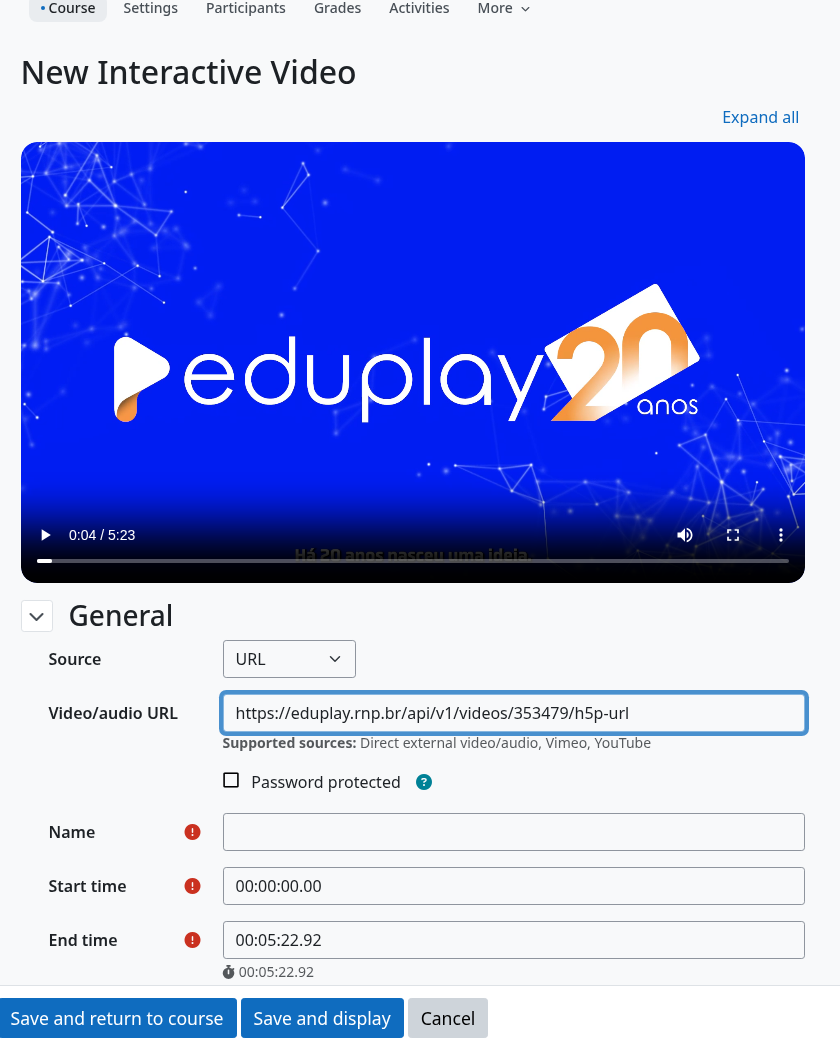
Pasting an EduPlay link in the Interactive Video form: it becomes the playable address and the video loads.
Paste the normal page link. Copy
https://eduplay.rnp.br/app/video/353479from your browser: no hidden “media URL” to hunt for.Interactive Video and H5P just work. They reject EduPlay page links; this plugin turns them into an address they can play, so you can add questions, hotspots and quizzes on top of EduPlay videos.
Nothing is copied into Moodle. The video stays on EduPlay: no storage cost, no duplicate files, always the current version.
You stay in control. One setting turns every request to EduPlay off.
See it in 30 seconds
Interactive Video and the H5P editor (Moodle interface in English).
Start in three steps
Install
local_eduplay(Installation).Open the Add form of Interactive Video or the H5P editor.
Paste the EduPlay link in the video field. Done.
It is also the engine of the other plugins of the suite: a strict URL parser, a client for the public EduPlay API (search and metadata, cached) and the privacy settings.
What it is
moodle-local_eduplay is the core plugin of the EduPlay Moodle Suite, an unofficial community project to use EduPlay (RNP) videos in Moodle. It centralizes URL validation and parsing, derived URLs (canonical, embed and H5P), metadata caching and security rules, so the other plugins of the suite do not duplicate them.
Versão em português: Português (Brasil).
Warning
This project is unofficial. It has no affiliation with, or endorsement by, RNP, EduPlay or Moodle HQ.
Main features
Strict URL parser: accepts only
https://eduplay.rnp.br/app/video/{id}and rejects other hosts, routes, ports, credentials and queries.Derived URLs: canonical, official embed and H5P (
h5p-url) URLs built from the video id.Nothing temporary is stored: only the video id or canonical URL is persisted; temporary CDN URLs never are.
EduPlay API client: title search (paginated) and video metadata (title, thumbnail) from the public EduPlay API, validated, cached and switchable in the settings.
H5P editor adapter: the canonical link pasted in a video field of the H5P editor becomes the h5p-url (see Usage).
Interactive Video adapter: lets authors paste the canonical link in the form of the third-party Interactive Video plugin (see Usage).
Moodle 4.5 LTS and 5.3 LTS: tested on a CI matrix with PostgreSQL and MariaDB.