Usage
local_eduplay is mostly a library for other plugins. Its only end-user feature is the Interactive Video adapter, described at the end of this page.
use local_eduplay\local\url_parser;

$ref = url_parser::parse_reference('https://eduplay.rnp.br/app/video/353479');
if ($ref !== null) {
    $ref->canonical_url(); // https://eduplay.rnp.br/app/video/353479
    $ref->embed_url();     // https://eduplay.rnp.br/app/video/embed/353479
    $ref->h5p_url();       // https://eduplay.rnp.br/api/v1/videos/353479/h5p-url
}
parse_reference() returns null for anything that is not a canonical EduPlay video URL. Persist the video id or the canonical URL (or, where a third-party plugin requires a media URL, the h5p-url): the h5p-url endpoint redirects to a temporary CDN URL, which must never be stored.
Searching videos and reading metadata
use local_eduplay\local\api_client;

if (api_client::is_enabled()) {
    $client = new api_client();
    $result = $client->search('Documentário Eduplay 20 anos', 1); // 10 results per page.
    foreach ($result->videos as $video) {
        $video->name;                         // Title.
        $video->thumbnail;                    // HTTPS thumbnail on eduplay.rnp.br, or null.
        $video->reference()->canonical_url(); // Canonical URL built from the numeric id.
    }
    $result->page; $result->lastpage;         // Paging.
    $info = $client->get_video(353479);       // Null when not found or not public.
}
Only public, active videos that do not require authentication are returned. Failures raise a moodle_exception. Responses are cached and the Query the EduPlay service setting can turn everything off.
H5P editor adapter
The H5P content editor (for example Content bank > Add > Interactive Video) accepts any URL as a video file without checking it. A canonical EduPlay link would be saved as a video that never plays (“Video format not supported”). On the editor pages only, local_eduplay converts the link typed or pasted in the video URL field of a video:
In Add a video > Enter video URL, paste
https://eduplay.rnp.br/app/video/353479.Click Insert: the editor stores
https://eduplay.rnp.br/api/v1/videos/353479/h5p-url, which redirects to the MP4.
The embed form is converted too, and image fields and other links are not touched. The editor shows the video type as “unknown” because the URL has no file extension; it plays normally.
Interactive Video adapter
The third-party Interactive Video plugin (mod_interactivevideo, tested with 2.2) only accepts media URLs and answers “The URL provided is invalid.” to a canonical EduPlay link. When that plugin is installed, local_eduplay loads a small script on its add/edit form only:
In Video URL, paste
https://eduplay.rnp.br/app/video/353479.The field becomes
https://eduplay.rnp.br/api/v1/videos/353479/h5p-url(which redirects to the MP4) and the preview loads.
The embed form (/app/video/embed/{id}) is also converted. Other links are left untouched, so YouTube, Vimeo, MP4 files and the rest keep working. Keep the Video link source (videolink) enabled in the Interactive Video settings.
What the plugin stores is the h5p-url, never the temporary CDN address. Nothing is installed or changed in the third-party plugin, and no request is made by local_eduplay.
Limitations
CSV / bulk import. The Interactive Video bulk import validates the
videourlcolumn on the server, so the adapter (JavaScript) does not run there. Put the media URL in the file:https://eduplay.rnp.br/api/v1/videos/{id}/h5p-url.Flexbook. The video modal inside
mod_flexbookcontent (field#video-url) is a different screen of a different plugin. It is not covered and has not been tested; paste theh5p-urlthere as well.Only the add/edit form of the Interactive Video activity is adapted.
Screenshots
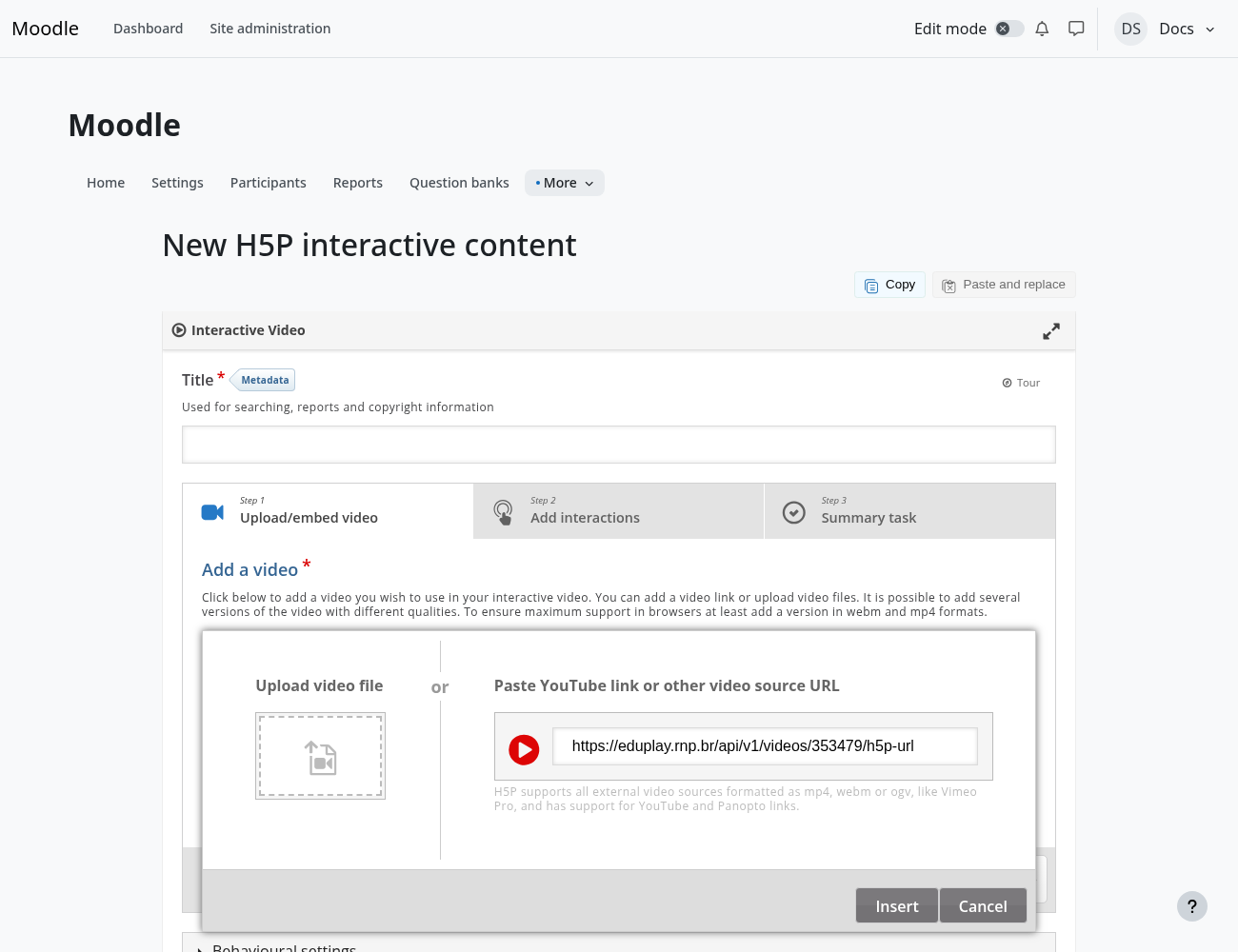
In the H5P editor, the pasted link becomes the stable video address.
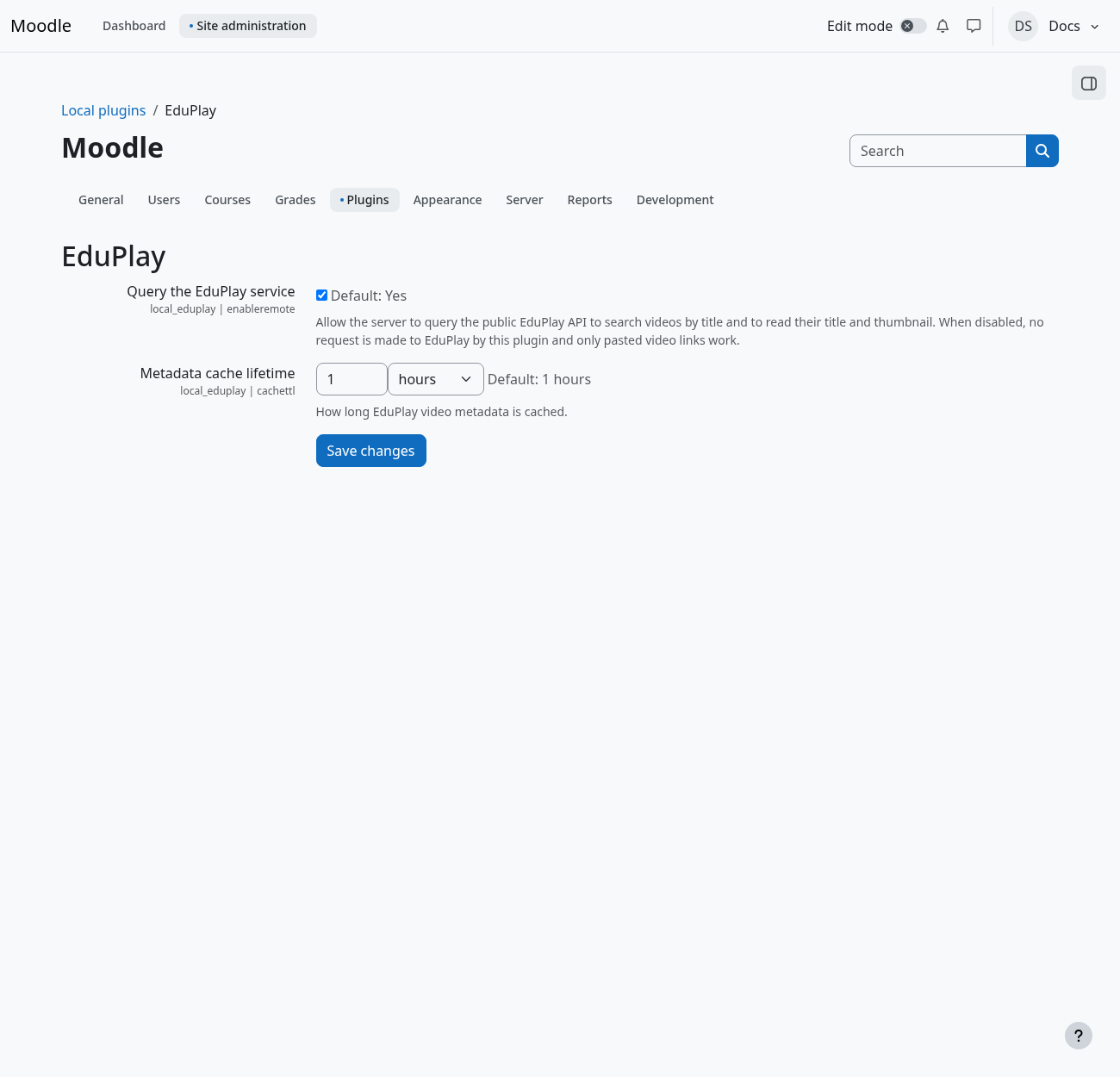
The only settings: allow queries to EduPlay and the metadata cache lifetime.